
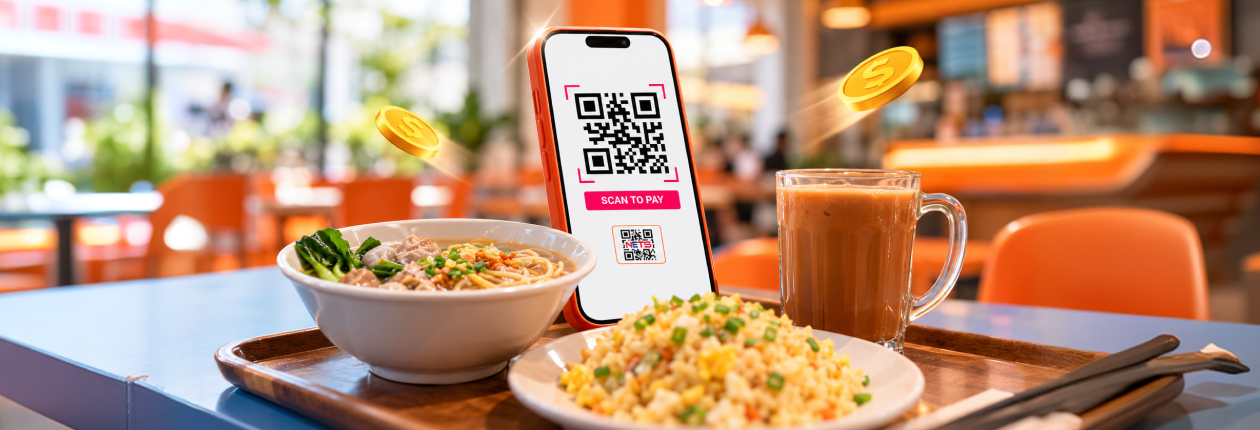
What is SGQR and How to Use it For Quick Payments
17 August 2026
QR codes have become widespread in Singapore as a popular payment option online and in stores. They may even have become your favourite way to pay – just scan the code, tap a button and boom, payment done.
When QR payments were first launched, we saw many different QR codes being displayed over the counters. That's because each QR code only supports one type of payment platform, pushing the struggle to users in knowing which code to scan. As you can imagine, this sometimes caused confusion and inconvenience – you’d rock up to a stall for your favourite tea time, only to find out the QR code offered is incompatible with the mobile app you regularly use.
Well, it’s 2026 and the chaos has been somewhat tamed. And it’s all thanks to SGQR.
What is SGQR and how does it work?
SGQR, or Singapore Quick Response Code, is Singapore’s first unified QR code. It combines several payment QR codes into a single SGQR label, providing a straightforward and seamless way for customers and merchants to pay cashlessly.
Jointly developed by the Monetary Authority of Singapore (MAS) and Infocomm Media Development Authority (IMDA), SGQR simplifies payments by allowing merchants to display a single SGQR code. True to its purpose as a unifying e-payments label, SGQR accepts both major local electronic payment systems such as PayNow, as well as popular foreign wallets, including Alipay, WeChat Pay, PromptPay and many more. This means SGQR can be used not just for electronic payments locally, but also in regional countries at participating merchants.
How does SGQR work?
SGQR is simple to use. You’ll need a mobile phone with a camera and data connectivity. You should also have a mobile banking account set up with appropriate e-payments options.
Here’s how to pay with SGQR in three simple steps.
- Launch your preferred e-payment app and scan the SGQR code displayed by the merchant.
- Check the merchant’s name, and key in the payment amount.
- Confirm the details, and submit the transaction on the app.
Once done correctly, payment should be near instant. You’ll immediately receive a notification that payment has been made, and the corresponding amount will be sent to the merchant’s account.
Transitioning into SGQR+: What is SGQR+ and how is it different from SGQR?
To make digital payments even simpler, Singapore introduced SGQR+, which is the upgraded backend payment framework introduced by the MAS.
It connects all the payment systems together behind the scenes. Now, a shop owner only needs one single agreement with one main provider to accept payments from over 20 different local bank apps, e-wallets, and foreign tourist apps.
SGQR+ keeps things just as easy for shoppers while making life much simpler for shop owners.The scanning process remains completely the same as the usual SGQR. Meanwhile, merchants only need to sign up just once with a single provider. That provider handles all 20+ payment options automatically, sending all earnings to the merchant in one single daily payout with one simple summary report.
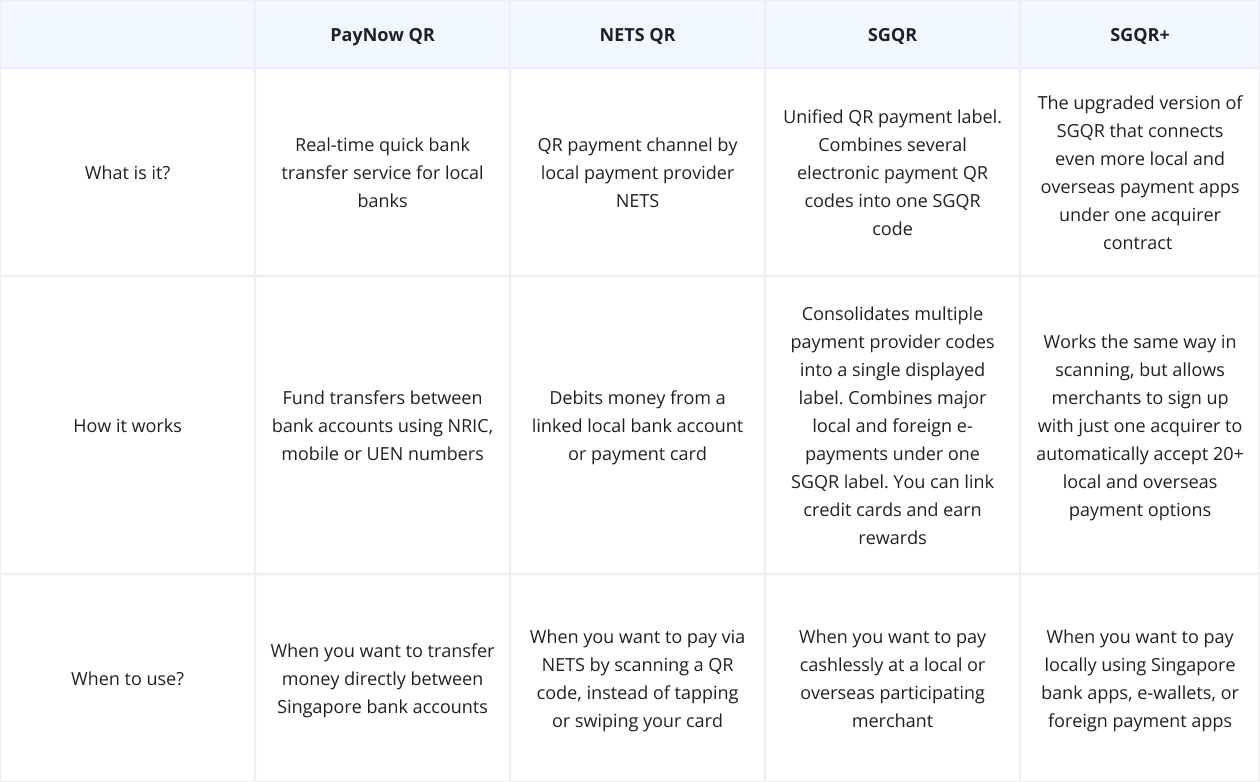
PayNow QR vs NETS QR vs SGQR vs SGQR+
Use this comparison table to see the core differences between SGQR, PayNow QR and NETS QR, and which one you should use.
Where can you use SGQR+?
SGQR+ is accepted by all participating merchants across Singapore. While the SGQR sticker itself is only for physical store counters, the underlying payment systems behind it (like PayNow QR and NETS QR) can also be used at online e-commerce checkouts. Here’s a brief rundown of where you can use SGQR+.
Coffee shops and hawker centres
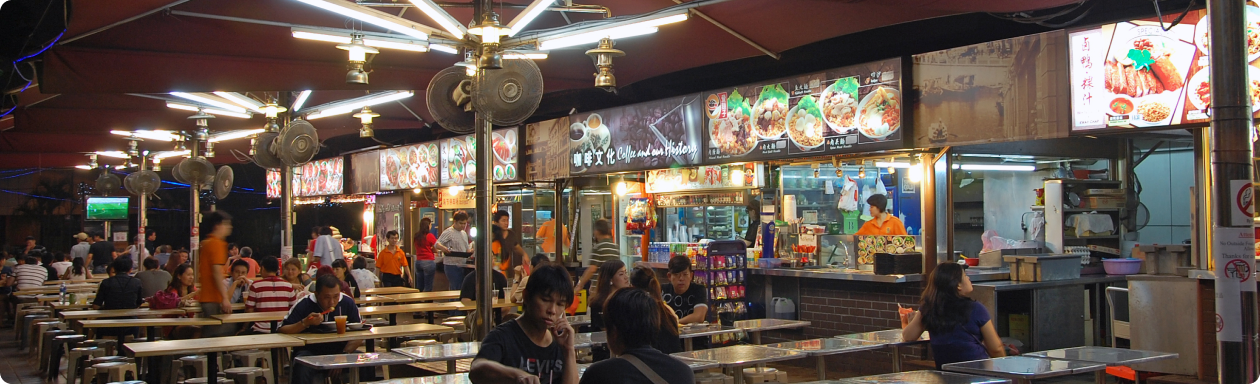
SGQR codes are commonly found at coffee shops, hawker centres, neighbourhood cafés, and casual eateries. This brings ease when buying a quick breakfast, or a mid-afternoon kopi – simply bring your mobile phone to scan and pay.
Convenience shops, stores and shopping malls
SGQR codes can be used for retail shopping, whether you’re getting groceries or going on a retail therapy, so don’t forget that if you choose a credit card as a payment method, you can still earn your usual rewards.
Vending machines
You need not dig for coins or cash when getting a drink from vending machines. Machines offering SGQR+ make it easy to pay, simply by scanning it with your mobile phone app.
What are some commonly accepted payment apps under SGQR+?
Different shops and vendors accept different e-payments. To be sure, check the SGQR+ label to see which e-payment app icons are listed; this will tell you which mobile app you should use to scan the code.
Here are some of the most common e-payment apps under SGQR+ . Note that not every e-payment listed works at every store – it depends on which ones the merchant has accepted in their label.

Using MariBank Scan & Pay
The MariBank app comes with Scan & Pay built in, allowing you to pay cashlessly via PayNow or NETS simply by scanning an SGQR code. Simply scan the QR code of the option you want to use and your payment will be complete in a snap!
Here’s what you can look forward to with MariBank Scan & Pay.
- Islandwide acceptance. Make payments at over 40,000 merchants islandwide.
- No fees, no transaction charges. What you see is what you pay.
- Ad hoc payments. Simply scan and pay merchants, anywhere.
- Instant payments. Your payment is directly debited from your Mari Savings Account for secure and seamless payments.
Embrace the convenience and speed of Scan & Pay. Get the MariBank app today!